Organizations use Haast to run AI-powered compliance reviews across their marketing content – raising potential compliance risks with detailed explanations and suggested fixes, routing content through structured review workflows, and maintaining a complete audit trail.
Haast's Google Docs integration extends that capability into one of the most widely used content creation environments in the world. Marketing teams can now run a full Haast compliance review, act on AI-powered risk findings, and submit content for approval – all from a sidebar inside Google Docs, without switching tabs or copying content across platforms.
Read more about our integration into Adobe Workfront
Faster Reviews for Both Sides of the Process
For content creators, the workflow is straightforward. Open the Haast sidebar inside your Google Doc, start a review, and AI analysis surfaces compliance findings with clear rationale. Relevant text is highlighted directly in the document. Make edits, re-check instantly, and submit for compliance review - without leaving the doc.
For compliance reviewers, the integration removes the friction of managing content across systems. When a submission comes in, reviewers receive a link to the Google Doc. Opening it brings up the Haast sidebar with full access to the AI analysis, risk findings, and rationale. Reviewers can conduct their compliance analysis, collaborate with content creators via Haast's comments feature, and provide feedback on AI findings to improve accuracy over time.
The result is a materially faster review process for both sides - with a complete audit trail inside Haast.
Using Haast in Google Docs
You must be a Haast user to benefit from this integration. If you're not an existing user, but want to see our software, book a demo.
Installation takes approximately two minutes and only needs to be completed once – after that, the add-on is available across all Google Docs in the account.
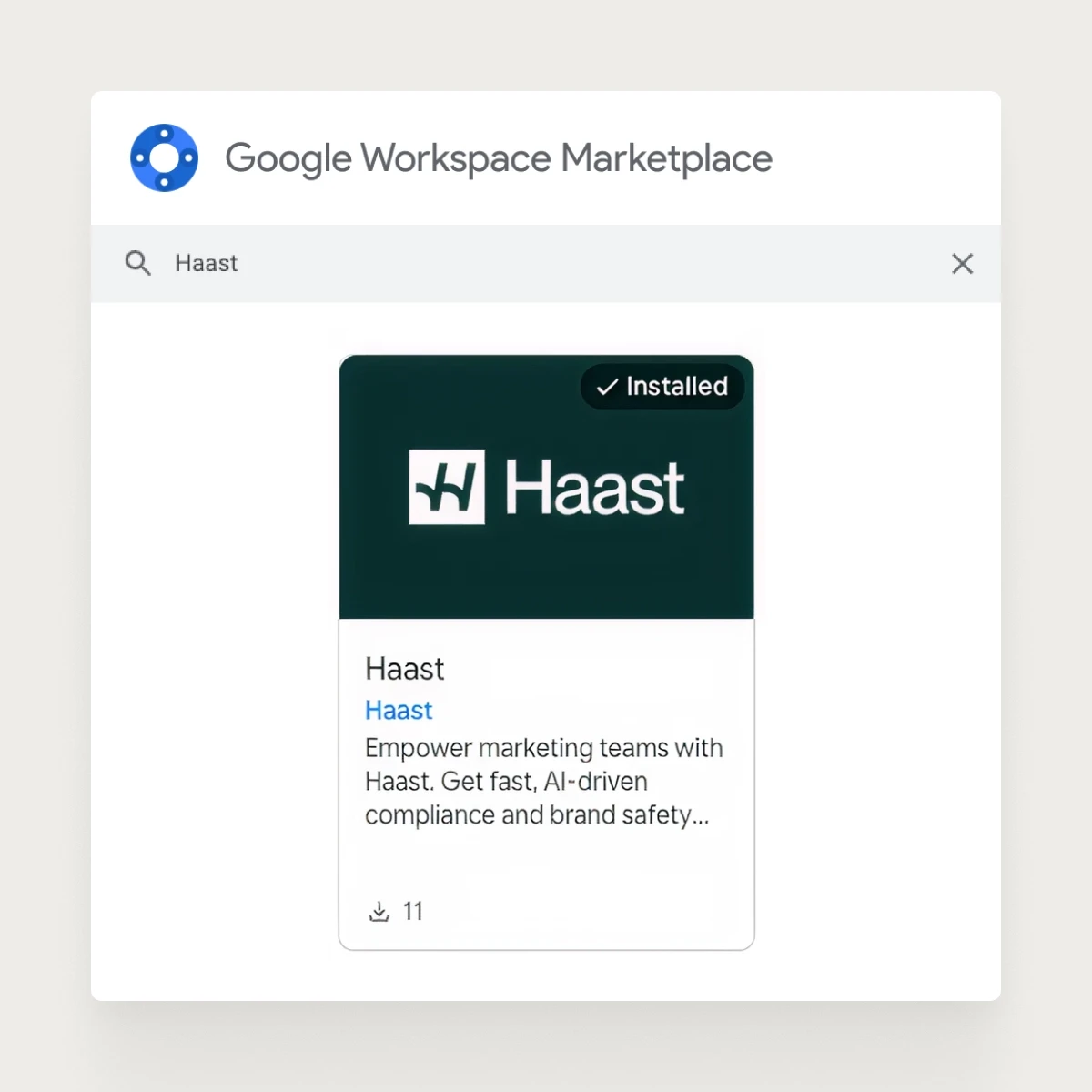
Step 1 – Install the Haast Add-on From the Google Workspace Marketplace
In any Google Doc, go to Extensions → Add-ons → Get add-ons, search for Haast, and click Install. Grant the requested permissions to continue.
Step 2 – Start a Compliance Review
Open the Google Doc you want to review, click Extensions → Haast, and the sidebar will appear. Log in with your Haast credentials - SSO is supported. Start a review directly from the sidebar.
Step 3 - Review and Address Compliance Findings
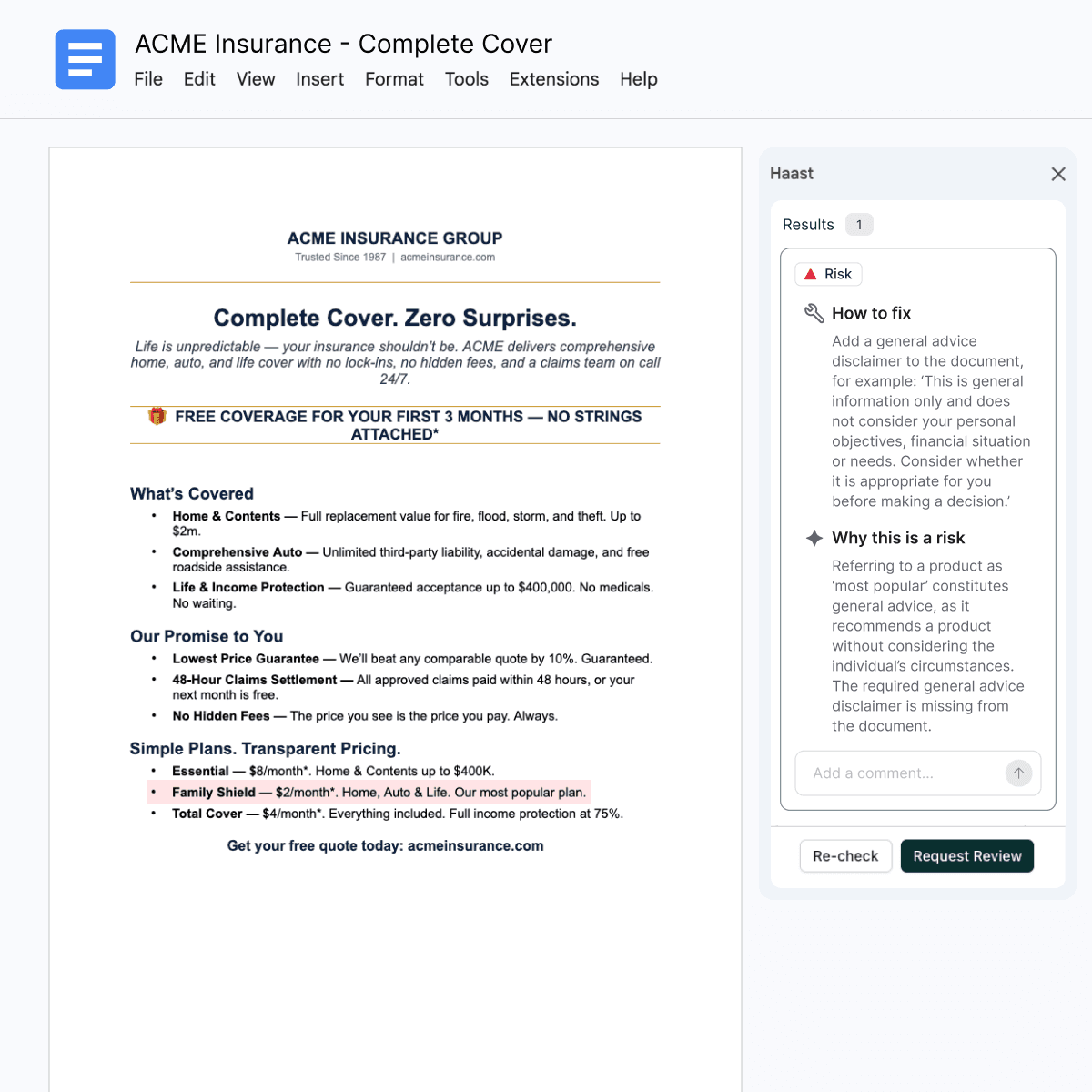
Results appear in the sidebar once the review is complete. Click Go To on any finding to jump to the relevant text. Make edits directly in the document and click Re-check to run another pass. Use inline comments to collaborate with your team without leaving the doc.
Step 4 - Request Compliance Review
For findings that can’t be resolved by the content creator, submit the content for compliance review. The reviewer receives an email with a link to the Google Doc and completes their review, including viewing AI findings and leaving comments, from the same sidebar. The compliance team can address findings directly or collaborate with the content creator until everything is resolved.
New to Haast?
The Google Docs integration is one part of a broader marketing compliance review platform built for organizations that need scalable, repeatable governance across high-volume content programmes. Request a demo to see how Haast embeds into your existing workflows.
Liam King, CTO at Haast


